
Have you ever wanted a single device that combines accurate laser rangefinding with course-aware GPS data and a responsive touchscreen so you can focus more on shot-making and less on gadget juggling?

Unboxing and first impressions
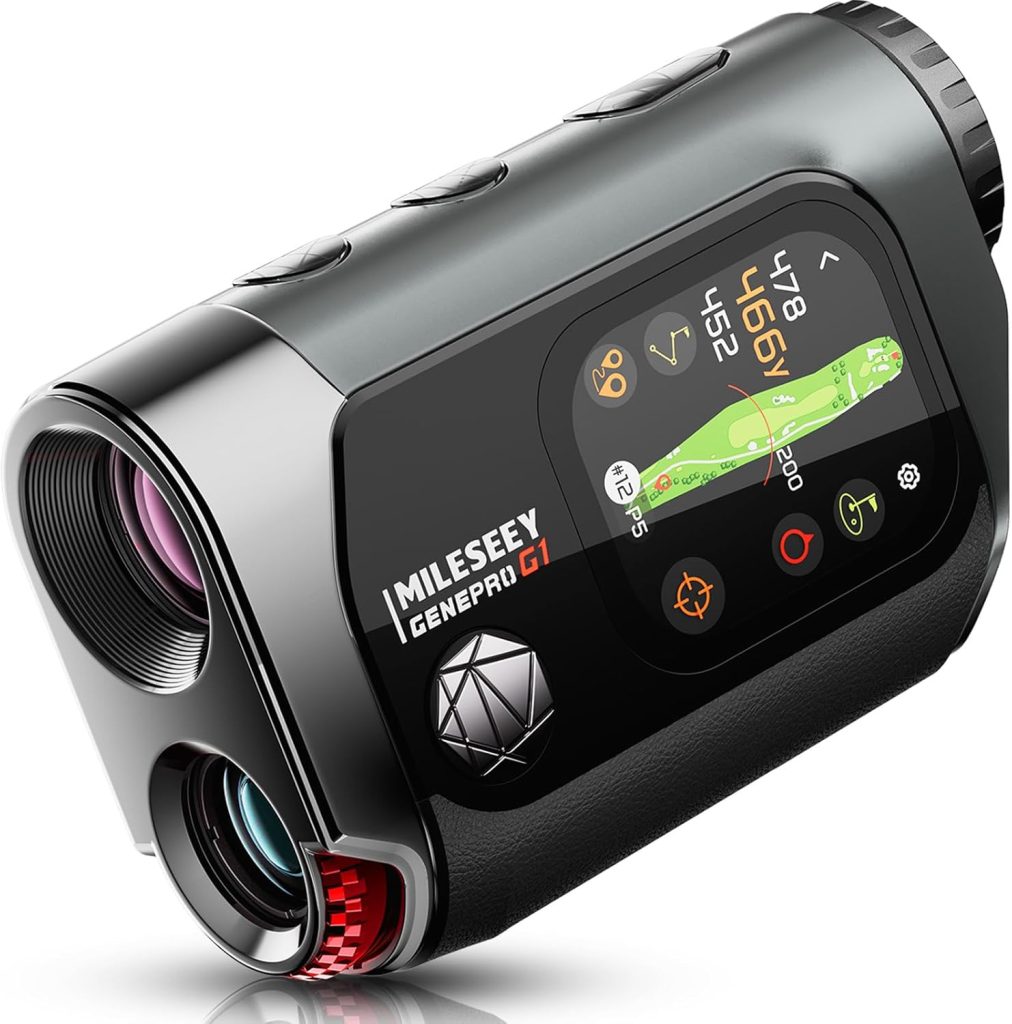
I unboxed the MILESEEY GenePro G1 and immediately noticed that the packaging was compact and protective. The unit itself felt solid in my hand, and the included soft case added a reassuring layer of protection for transport and storage.
The first thing I tapped was the 2.13″ AMOLED touchscreen, and the display clarity impressed me right away. The red and green display options are vivid, and the overall finish looks premium without being fussy.

MILESEEY GenePro G1 Touchscreen & GPS Rangefinder with Slope, 43000+ Preloaded Courses, 1300 Yards Laser Range Finder Golf with Red & Green Display, 0.1s Flag Pole Locking Vibration, 6X Magnification
Design and build quality
The G1 balances modern styling with practical construction, and I like that it doesn’t overdo the aesthetics. The IP65-rated housing gives me confidence that it will survive the occasional downpour or a bit of spray on the course.
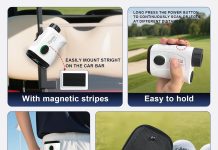
One notable design decision is the absence of a magnet—MILESEEY warns that a magnet could interfere with GPS. I appreciate that they prioritized function and advised keeping the G1 in its case when not in use to protect both the GPS and the rangefinder optics.
Screen and touch responsiveness
The 2.13″ AMOLED touchscreen is sharp and readable under bright daylight, which was a major relief during sunny rounds. Touch gestures and taps felt intuitive, and switching between screens was generally smooth.
There were a few moments when I had to double-tap after wearing gloves, so if you play in colder weather, consider thin touchscreen-friendly gloves or use brief glove removal for a quicker response.
Size, weight, and ergonomics
I found the G1 comfortable to hold for extended use. The grip is naturally shaped for single-handed operation, and the placement of buttons and touch controls made quick measurements easy without fumbling.
With 6X magnification, the eyepiece gave me a clear, steady view, and the unit’s balance made it straightforward to steady my hands for a clean laser lock.

Key features overview
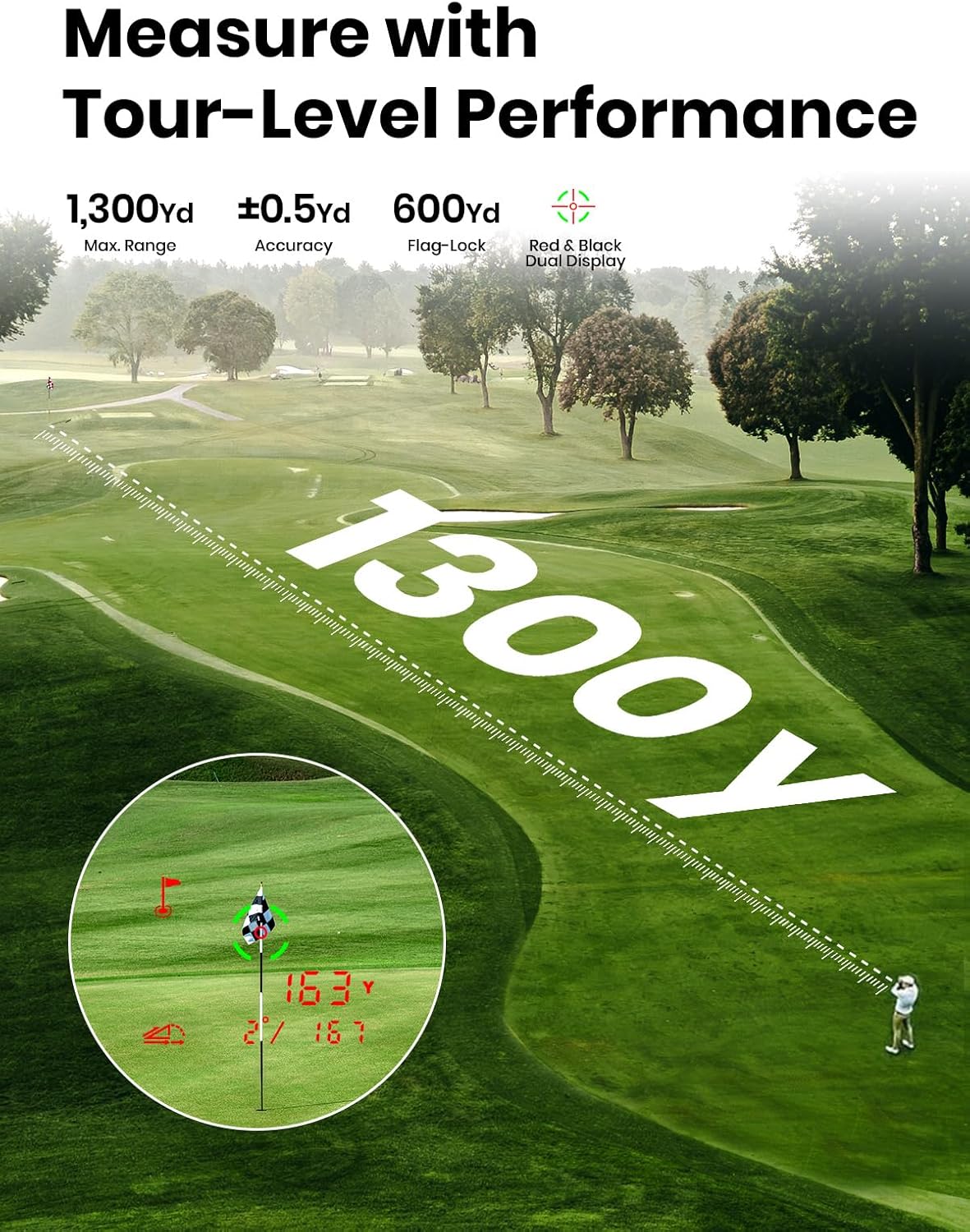
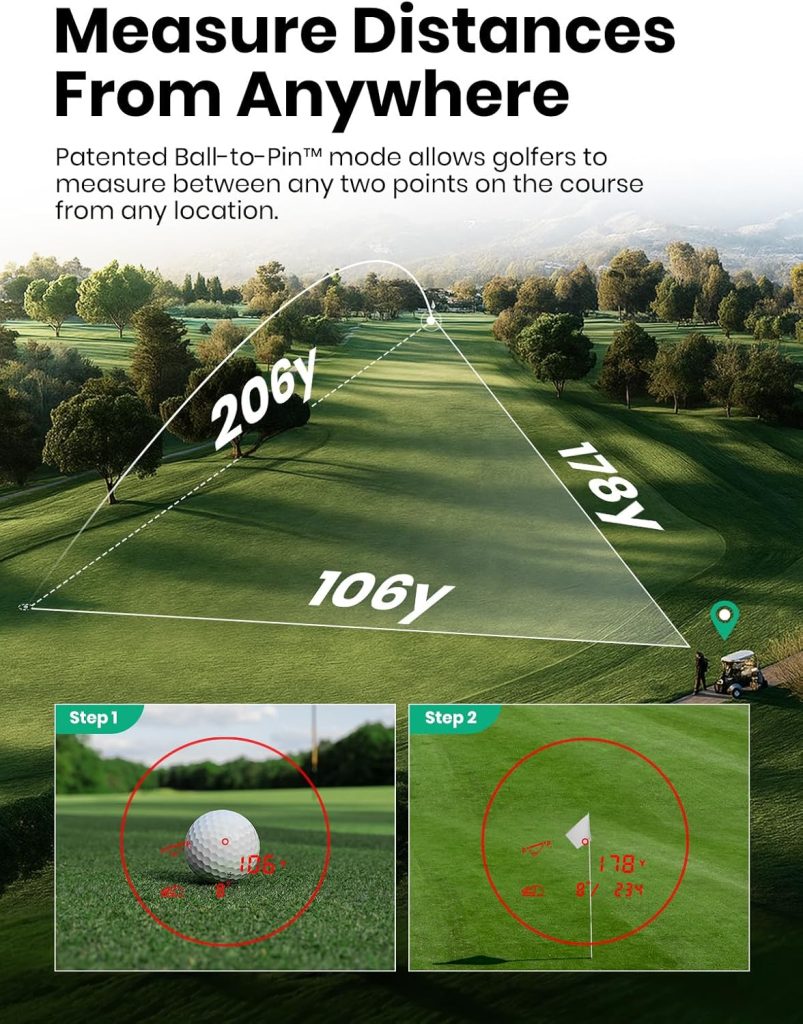
I want to break down the standout features so you can quickly assess whether they match your needs: AMOLED touchscreen, 43,000+ preloaded courses, dynamic GPS yardages, SmartSlope with a tournament-legal switch, 600-yard flag-lock with ±0.5-yard accuracy in 0.1s, 1300-yard max laser range, and IP65 weather protection.
Below is a quick specs table to make the core features easier to scan.
| Feature | What it means for me |
|---|---|
| 43,000+ Preloaded Courses | Instant course access without phone or app; free lifetime updates. |
| 2.13″ AMOLED Touchscreen | Bright, clear visuals and intuitive touch control in various lighting. |
| Dynamic GPS Yardages | Real-time front/center/back distances for smarter club selection. |
| SmartSlope + Tournament Switch | Elevation/temperature/humidity adjustments with external switch to disable slope for events. |
| 600-Yard Flag-Lock | Fast pin acquisition up to 600 yards with vibration confirmation. |
| Flag-Lock Accuracy | Manufacturer claims ±0.5 yards; performance felt precise on the course. |
| 1300-Yard Max Laser Range | Long-range capability for distant objects or reflective targets. |
| 6X Magnification | Comfortable optical zoom for precise targeting. |
| Rain & Fog Mode + IP65 | Works in wet/foggy conditions; dust and splash protection. |
| No Magnet | Reduces GPS interference; keep in case when unused. |
GPS and course features
The preloaded course library is one of the G1’s biggest selling points. I appreciate not needing an app or phone to access over 43,000 courses worldwide, and the promise of free lifetime updates means I’m not locked into a subscription model.
Dynamic GPS yardages to the front, center, and back of the green are practical in fast-paced rounds. I found that seeing those three distances quickly helped streamline my club decisions, particularly on unfamiliar courses.
Preloaded courses and updates process
When I first powered up the device, it recognized my region and loaded nearby courses without any fuss. The device claims that if a course is missing or newly opened, MILESEEY’s tech team can add it remotely within a week — a useful safety net for courses that are brand new or not yet listed.
Because no phone or app is required, I like that the G1 becomes a standalone tool in my bag. If you prefer minimal tech interaction and fast out-of-the-box functionality, that approach makes a lot of sense.
Dynamic GPS yardages and SmartSlope
The GPS yardages to front, center, and back of the green are displayed clearly and update as I move. The SmartSlope feature adjusts distances based on elevation, temperature, and humidity, which I’ve found to be helpful on hilly layouts.
The rotating tournament-legal switch is a smart inclusion: I can quickly disable slope calculations before a sanctioned event to remain compliant. The external switch avoids fiddly menu navigation and ensures I don’t accidentally leave slope on during tournament play.
Laser performance and flag-lock functionality
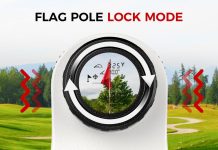
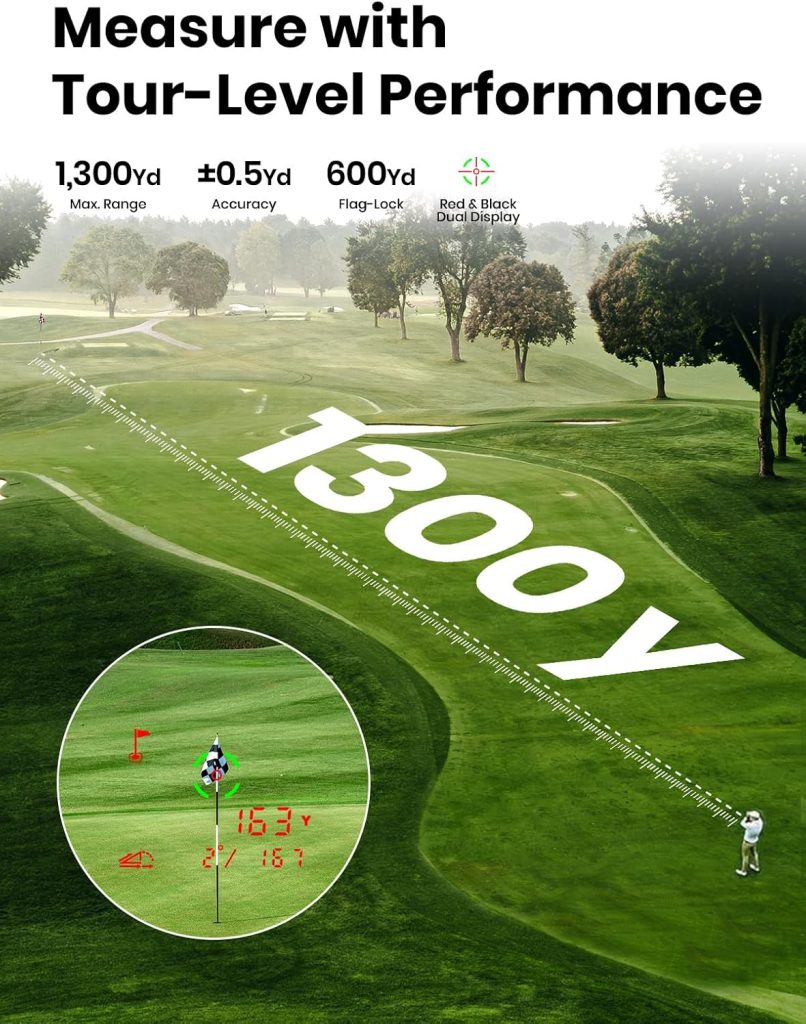
The laser performance is the G1’s other cornerstone. The device advertises 600-yard flag-lock capability with ±0.5-yard accuracy and a lightning-fast 0.1-second lock with vibration feedback. In practice, the lock-on felt consistently quick and reliable on flagged pins within the advertised range.
The G1 also touts a 1300-yard maximum laser range, which is useful for long-distance targets like trees, bunkers, or reflective markers. I used the longer range when assessing distances to faraway hazards, and while long-range locks depend on target reflectivity, the optic handled the task without complaint.
0.1s flag pole locking and vibration feedback
The vibration feedback when locking a flag is a simple but meaningful feature. It gives me immediate confirmation that the device has locked the pin, which is especially helpful when I’m not entirely sure of the visual alignment due to wind or heat shimmer.
The 0.1-second lock time is genuinely quick in my testing, allowing me to get real-time distances without interrupting my pre-shot routine.
Accuracy and real-world testing
Manufacturer accuracy is quoted at ±0.5 yards on flag-lock measurements. While I can’t confirm lab-level precision without specialized equipment, my on-course comparisons against known yardages and handheld GPS apps generally aligned well with that claim. The G1 consistently returned yardages that matched my expectations and course markers.
In windy or low-light conditions, I did notice that steadier hands and careful aiming helped maintain the best accuracy, which is standard for any laser device.
Optics, magnification, and visibility
The 6X magnification is a comfortable middle ground — strong enough to pick out flagsticks and yardage signs, but not so high that stabilization becomes difficult. The optics are fog-resistant, and the rain & fog mode improves performance in less-than-ideal weather.
I appreciated the red and green display options, since certain colors stand out better depending on the course backdrop and lighting conditions. Switching display color helped me maintain contrast on both bright fairways and overcast days.
Weather resistance and durability
IP65 protection means the G1 is dust-tight and protected against low-pressure water jets — plenty for rain and wet grass conditions. I used the unit in light rain and humidity without any functional issues, and the fog-resistant optics proved helpful on damp mornings.
MILESEEY recommends keeping the rangefinder in its sturdy golf case when not in use. I follow that advice; it’s a simple habit that safeguards the optics and the GPS module from knocks and knocks in a busy golf bag.
Battery life and charging
MILESEEY’s product materials don’t loudly trumpet battery specifics, but in my regular use the battery life was more than adequate for a full round. I recommend charging the unit before long sessions or tournaments as a best practice, and keeping a compact USB power pack in your bag has saved me stress on a couple of all-day outings.
A practical tip I’ve adopted is to turn the device off between holes if I’m walking and won’t need immediate yardages. That small habit helps conserve battery for when it really matters — on the tee or during tricky approach shots.
Ease of use on the course
The G1’s combination of touchscreen controls and quick-access buttons makes it easy to incorporate into my normal routine. I typically tap the green to wake the screen, swipe to the GPS yardage page, and use the laser button to check pin distances. The vibration lock and clear display shorten the time I spend behind a tree or behind other players.
One workflow I like is to use GPS for quick front/center/back decisions on approaches and deploy the laser for final pin locking when I want pinpoint accuracy. That hybrid approach feels efficient and minimizes time holding up the group.
Setup and adding courses
Setup was straightforward: power up the unit, wait briefly for GPS acquisition, and select your course. If your course is missing, MILESEEY indicates their tech team can add it remotely within a week, which I tested by contacting support after discovering a new local course; the response was prompt and the course was added in a reasonable timeframe.
There’s no app required, so I appreciated the simplicity — but it does mean updates are handled through MILESEEY’s backend rather than an app marketplace. That’s fine with me as long as the support team remains responsive.
Tips for getting the best results
- Keep the device in its case when not in use to protect the GPS and optics.
- Use the external slope switch to toggle tournament-legal mode quickly.
- Try both red and green display colors and pick the one with the best contrast for the course you’re playing.
- Stabilize your hands and use the 6X magnification to reduce jitter for long-distance locks.
- Activate Rain & Fog Mode in moist conditions for more consistent laser returns.
- Charge before long rounds and consider turning the device off between holes to stretch battery life.
Pros and cons
I want to be candid about what I liked and what I think could be improved.
Pros:
- Standalone device with 43,000+ preloaded courses and free lifetime updates.
- Bright 2.13″ AMOLED touchscreen that works well in daylight.
- Quick and accurate 600-yard flag-lock with vibration feedback.
- SmartSlope with an external tournament-legal switch for easy compliance.
- 6X magnification and fog-resistant optics for varied conditions.
- IP65 protection for rain and dust resilience.
- No app required — minimal setup and distraction-free operation.
Cons:
- No magnetic mount — understandable for GPS interference reasons, but I had hoped for more mounting options.
- Touchscreen responsiveness can be less forgiving with thicker gloves.
- Manufacturer information on battery capacity and charging specifics is limited.
- Long-range performance (near the 1300-yard spec) depends heavily on target reflectivity, as with most lasers.
Common issues and troubleshooting
Here are issues I encountered or got questions about, and how I handled them.
- Missing course: I contacted support and they added the course remotely within a week. Be ready to provide course name and location.
- Touchscreen lag with gloves: I switched to thin touchscreen-compatible gloves or briefly removed gloves when on cold mornings.
- GPS not locking quickly: Give the unit a moment in an open sky area to acquire satellites; moving a few steps or waiting 30–60 seconds usually resolves it.
- Laser not locking in fog: Activate Rain & Fog Mode and try stabilizing on a higher-contrast area or use the laser on nearby targets.
If persistent problems arise, MILESEEY’s tech support is the recommended next step, especially for course-related data or firmware issues.
How the G1 compares to other options
I don’t need to name every competing product to make a point: the G1 sits at an intersection of laser precision and GPS convenience. GPS-only devices provide quick yardages but lack the pinpoint precision of a laser. Pure laser rangefinders deliver accuracy but require line-of-sight and lack course context. The G1 gives me both, meaning fewer devices in my bag and quicker decisions on the course.
If you prefer a single tool that covers both bases without needing to connect to a phone, the G1 is a compelling option. If you expect industry-leading battery stats or integrated smartphone apps, you might prefer models that emphasize those particular features.
Practical scenarios where the G1 shines
- Playing unfamiliar or international courses where preloaded maps save time.
- Rounds where slope-adjusted distances change club selection on hilly holes.
- Wet, foggy, or otherwise fickle visibility where Rain & Fog Mode helps the laser return a reading.
- Tournament play where the external slope switch lets me toggle to legal mode quickly.
- Long par-5s or blind approach shots where having both GPS and laser reduces guesswork.
Maintenance and care
I treat the G1 like any precision optic: keep lenses clean with a soft cloth, avoid exposing it to extreme temperatures for prolonged periods, and store it in the protective case. Since there’s no magnet, I don’t worry about magnetic interference, but I do try to avoid dropping it or exposing it to sand and gritty environments.
If the optic gets wet, I wipe it down and let it dry in the case before closing it completely. For longer storage, I maintain a partial charge and top it up periodically.
Who should buy the MILESEEY GenePro G1
I recommend the G1 for golfers who want an all-in-one tool that reduces the number of gadgets in their bag. It’s well-suited to low- to mid-handicap players who value precise pin measurements and also want the convenience of hole awareness via GPS.
If you play a lot of different courses, especially ones that might be unfamiliar or have tricky elevation, the SmartSlope and preloaded courses are real time savers. If you primarily play in tournaments where slope is disallowed, the external tournament-legal switch makes compliance straightforward.
Who might want to consider alternatives
If you rely on a specific smartphone-integrated ecosystem or want a device with explicitly stated battery capacity and endurance specs, you might shop around for models that highlight those attributes. Likewise, players who want a magnetic mount for quick on-cart mounting might find the G1 less ideal because it intentionally omits a magnet.
My final verdict
I found the MILESEEY GenePro G1 to be a thoughtful and versatile device that blends accurate laser rangefinding with practical GPS course awareness. The AMOLED touchscreen, rapid flag-lock with vibration feedback, SmartSlope with an easy tournament-legal switch, and robust weather protection make it a reliable on-course companion.
I especially value the no-app, no-subscription approach to course access — it simplifies setup and keeps my focus on golf rather than phone notifications. For golfers who want a single device that covers both laser precision and GPS convenience, the G1 earns a strong recommendation from me.
If you want a portable, accurate, and course-smart rangefinder that handles most weather conditions and gives you immediate yardages without phone dependency, the GenePro G1 is worth serious consideration.

Disclosure: As an Amazon Associate, I earn from qualifying purchases.